onestop oncampus mobile app
Description
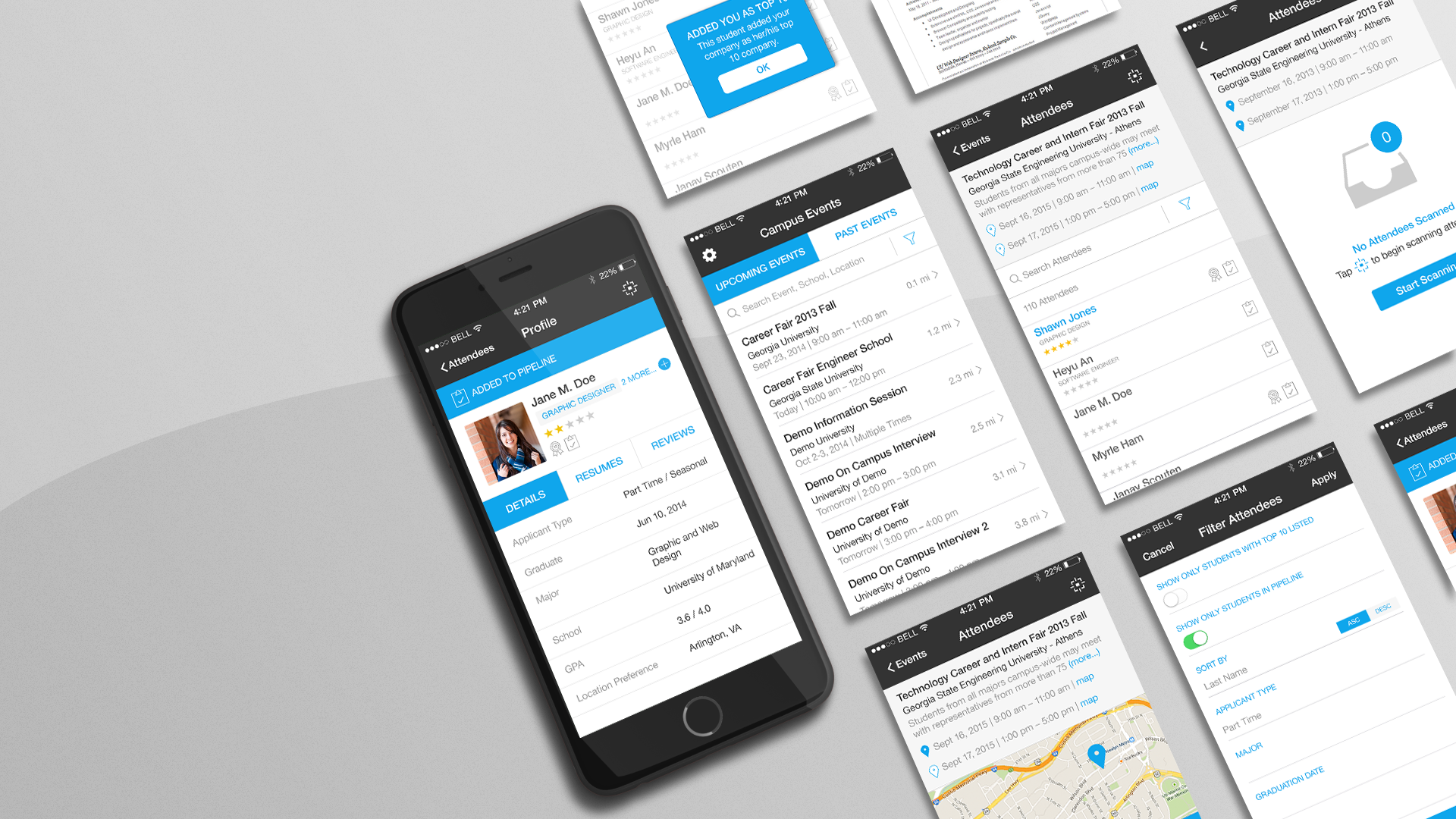
OneStop OnCampus was Symplicity’s first native mobile app, designed as a focused companion to its employer recruiting platform. Built specifically for career fairs, it gave recruiters a simpler way to capture and organize information about candidates they met in person—including an early QR-code scanning workflow.
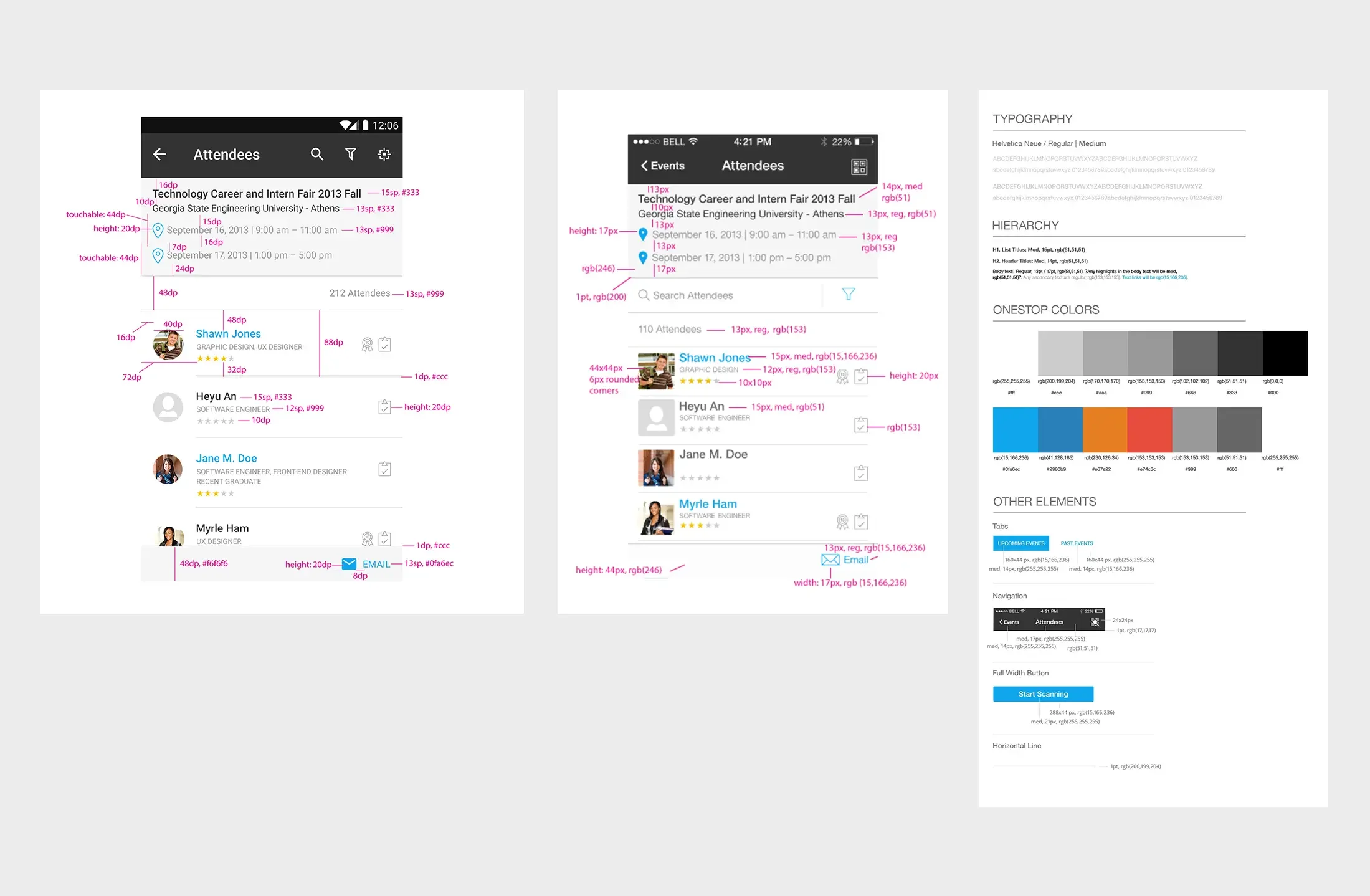
I owned the visual/UI design and worked directly alongside the iOS, Android, and backend developers from design through launch, translating the experience into platform-specific interfaces while working within native conventions and technical constraints.
Work Produced
Native iOS + Android UI | Interaction Design | Visual System | Developer Handoff | App Store + Marketing Assets
Typeface | Helvetica Neue (iOS standard) and Roboto (Android standard)
Designing for Two Native Platforms
The experience needed to feel consistent with the larger OneStop product while behaving naturally on two different mobile platforms. I created platform-specific typography, iconography, onboarding, interaction and error states, filters, and QR-scanning flows while working closely with two iOS developers, an Android developer, and a backend developer.
This was also when Material Design was emerging, which made the differences between the platforms especially tangible: rather than forcing a single visual solution across both apps, we used native conventions where they improved usability and implementation.
From Design Through Launch
Because the design and development teams worked side-by-side, handoff wasn't a single event. I worked directly with the developers throughout implementation, adjusting designs around native functionality and technical constraints while providing annotated mocks, interaction specifications, icons, illustrations, and platform-specific assets.
I also worked particularly closely with the iOS team as we prepared the app for Apple's more stringent App Store requirements, and created the supporting App Store and launch marketing assets.
Looking back
Designed in 2014, some of the visual decisions inevitably belong to their era—but the project remains important to me because it was my first opportunity to work closely with engineers on a native product from design through launch. It taught me early that good interface design isn't simply about making screens consistent; it's about understanding the platform, working within technical constraints, and collaborating throughout implementation.