trust & compliance platform
Product Design + AI / Technical Prototype
How do you design an AI-native product without requiring the user to be AI-native?
Description
What began as a conversation with a compliance officer frustrated by expensive, cumbersome software became an exploration of a simpler, configurable trust and compliance platform. Working directly with a domain expert who was also the target user, I translated an unfamiliar problem space into a scoped MVP, designed a reusable portal system, and explored how AI could reduce repetitive work without becoming a requirement for using the product.
After completing the design, I took the experiment one step further: using Claude as a technical collaborator to see how far I could carry the design into a functioning HubSpot prototype myself.
Work Produced
Product Strategy | UX/UI Design | Information Architecture | Design System | AI Interaction Model | Technical Prototype
Tools | Figma, ChatGPT, Claude, Figma MCP, VS Code, Git/GitHub, HubSpot CMS
Typeface | Inter
The Challenge
From an internal frustration to a product idea
The project began with a real problem. My collaborator, a compliance officer, was spending too much time working around the limitations of his existing compliance software. When he explored alternatives, he found products costing roughly $40,000 per year. His response was essentially: we could build something better.
Our early conversations were as much about helping me understand the compliance landscape as they were about design. Once I understood the underlying workflows, I began exploring a broader product experience—but quickly learned an important constraint: we weren't building the entire product yet.
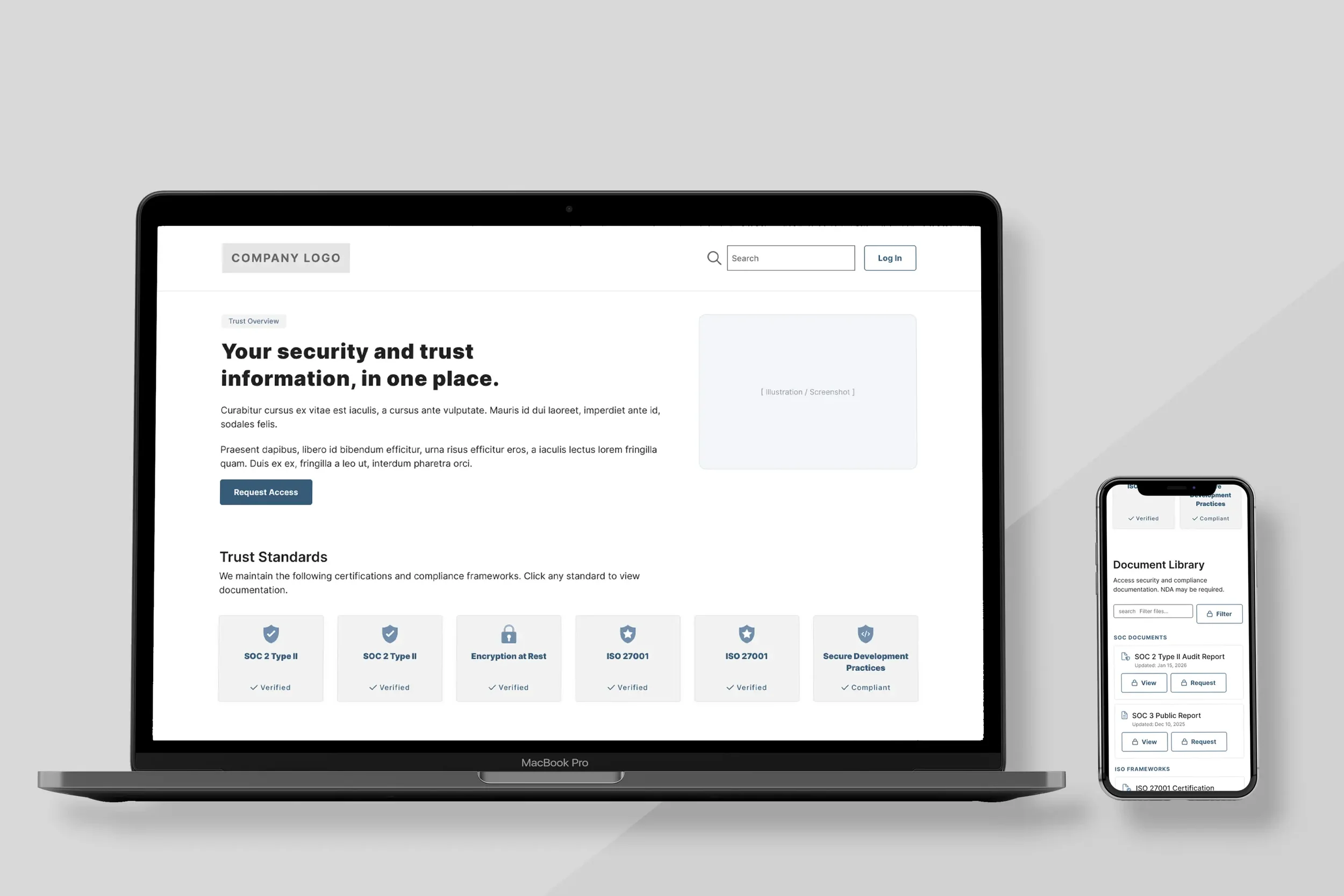
The MVP needed to be a flexible trust portal template with enough configuration to serve different organizations without becoming another complex system to manage.
Designing for Different Relationships with AI
AI should expand the experience, not gatekeep it
AI was always intended to play a meaningful role in the product—from helping users create and configure their portal to guiding people who may not know what information they need or where to begin.
But working with an extremely AI-native collaborator surfaced another design question: what happens when the person using the product has a completely different relationship with AI?
I began thinking about the experience through three modes:
AI-native
Do this for me.
Users comfortable delegating significant parts of the workflow to AI.
AI-assisted
Help me when I need it.
Users who want suggestions, drafting, or guidance while retaining direct control.
Manual
I'll do it myself.
Users who don't want AI involved at all.
The goal wasn't to create three different products. It was to design one strong underlying experience in which AI could change the level of assistance without changing what the user was capable of accomplishing.
Designing the System
Flexible without becoming infinitely configurable
Because the platform could eventually support multiple organizations, the design needed to accommodate different brands, content requirements, and levels of complexity without requiring a custom build each time.
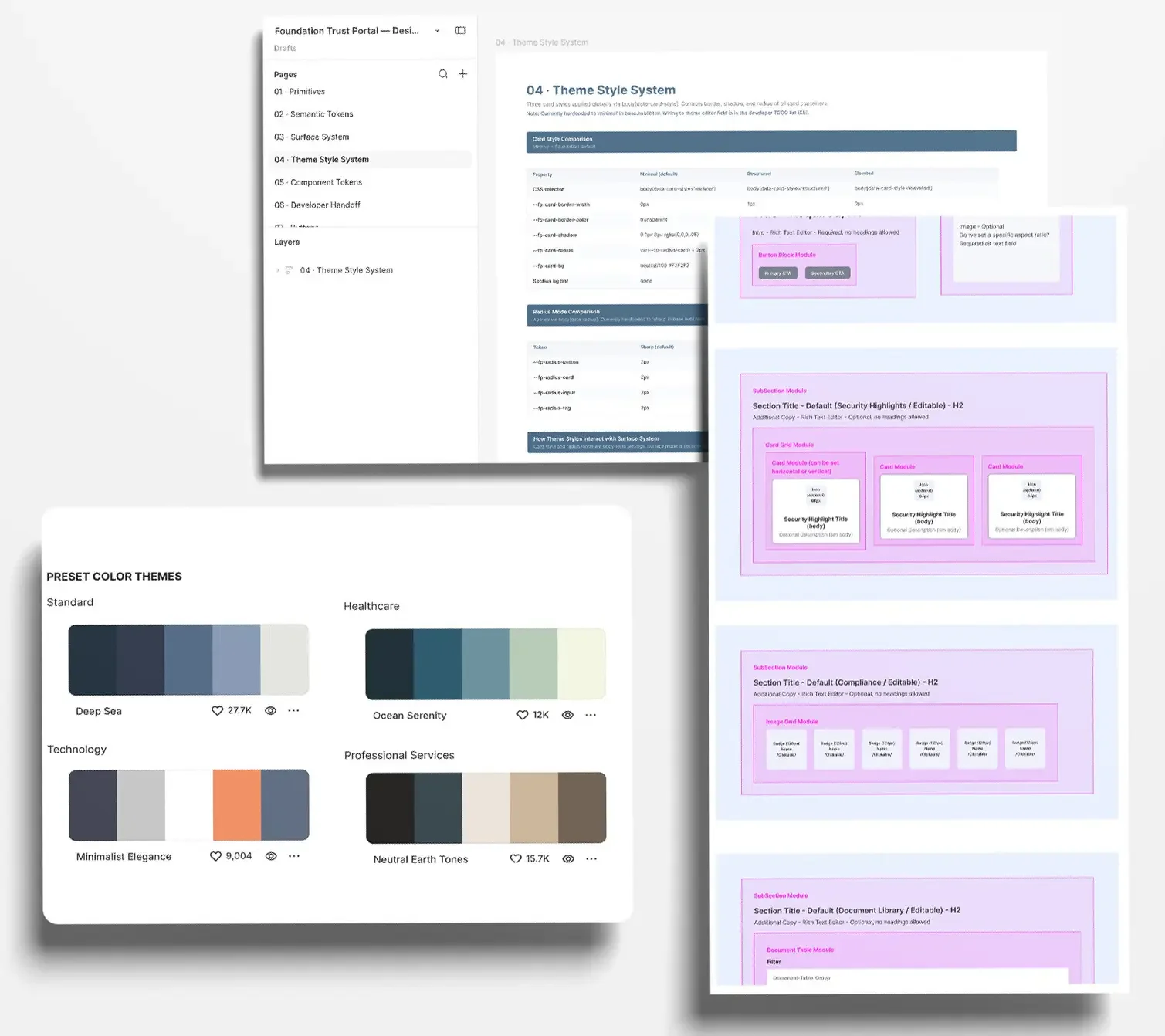
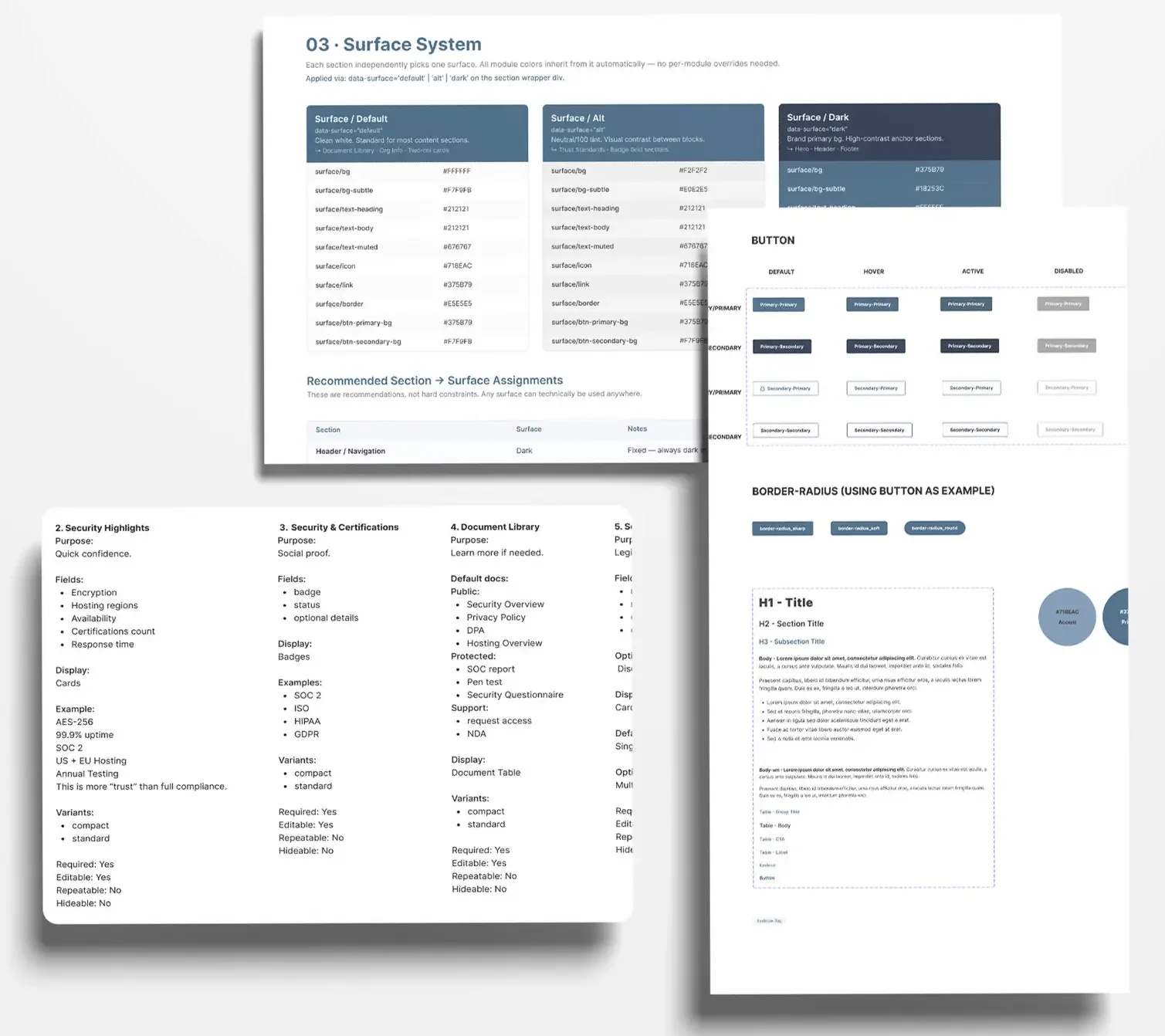
I created a reusable visual and component system with controlled choices for typography, color, surfaces, components, and page structures. Rather than exposing every possible design decision, the system focuses customization on the choices that meaningfully change the experience while keeping the underlying structure consistent and maintainable.
The same principle shaped the MVP itself: give users enough flexibility to make the portal theirs without recreating the complexity we were trying to eliminate.
Crossing Into Implementation
“I wonder what Claude could do with this…”
Once the design was complete, the project turned into a different kind of experiment. I wanted to understand how far current AI tools could help a designer move beyond a traditional handoff and into an unfamiliar technical environment.
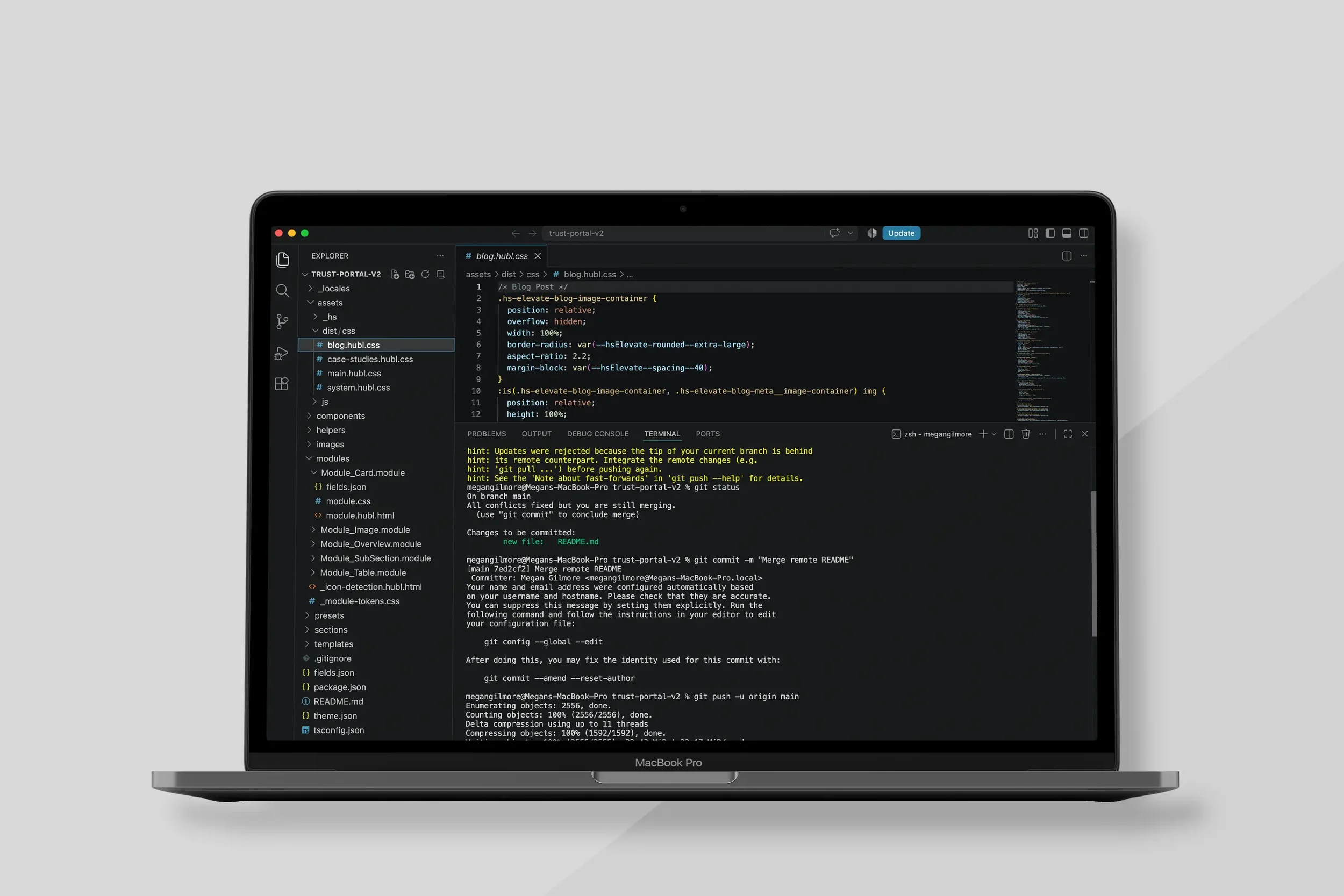
Using Claude as a technical collaborator, I began translating the design into HubSpot—learning VS Code, terminal and CLI workflows, Git/GitHub, HubSpot theme architecture, schemas, reusable modules, debugging, and deployment along the way.
The goal wasn't to become the project's developer. It was to understand the implementation well enough to test my design decisions, expose technical constraints, and see how much AI could extend what I was capable of building myself.
And eventually:
It worked. I deployed a functional proof of concept to HubSpot.
Ecstatic cheers all around (yes, even ChatGPT and Claude).
What I Learned
This project reinforced something I've increasingly found across my work: AI is most useful when it expands human capability rather than replacing human judgment.
That applied to both sides of the project. As a product feature, AI needed to accommodate different levels of user trust, comfort, and desired control. As a design and development tool, it allowed me to explore an unfamiliar technical environment much further than I would have attempted on my own—but still required me to understand the problem, evaluate the output, recognize when something wasn't working, and make the final decisions.
The platform remains a work in progress, but the experiment changed how I think about designing with AI and for AI at the same time.